

All Roblox Error Codes (2026)

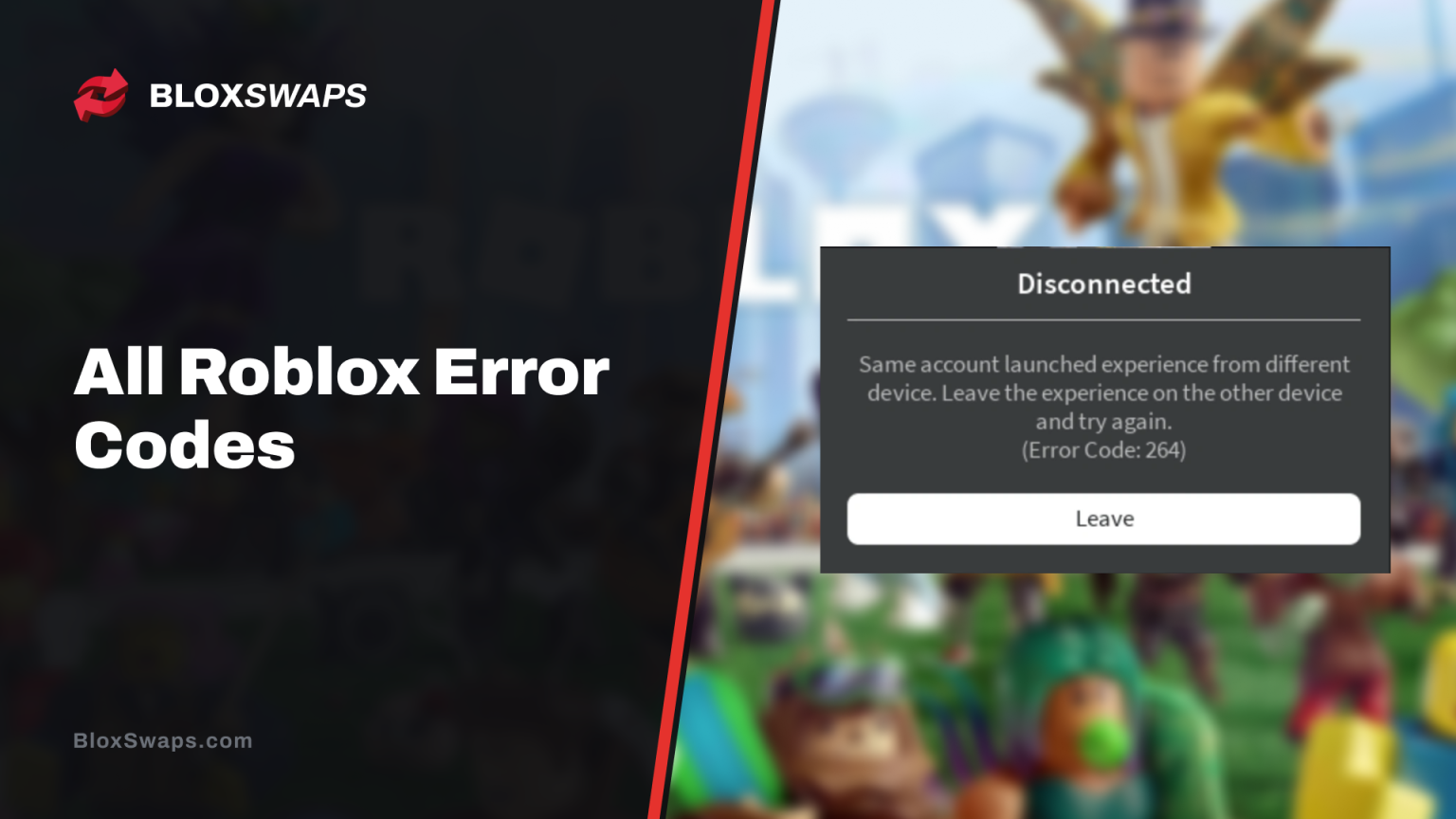
Roblox shows an error code when it cannot start, join, or keep you in an experience. The number points to the cause, such as your connection, a closed server, or a ban from the experience.
Some codes need a fix on your device, while others need nothing more than a new server. In this article, we’ll explain what every Roblox error code means, why it appears, and how to fix it.
How Roblox Groups Error Codes
Roblox sorts its connection errors into three number ranges. Disconnect codes run from 256 to 314, join codes run from 512 to 611, and teleport codes run from 768 to 775.
Website errors such as 404 and 503 are standard web status codes, so they sit outside these ranges. The tables below list the message Roblox shows next to each code.
Connection Error Codes
These codes appear when your device and the Roblox servers stop communicating properly.
Error Code | Message | What It Means and What to Do |
|---|---|---|
260 | There was a problem receiving data; please reconnect | Your device stopped receiving data from the server. Rejoin after a minute and check your connection. |
261 | Error while receiving data, please reconnect | Roblox could not stream data to your device, often because of a weak connection or a Roblox outage. Restart your router and rejoin. |
262 | There was a problem sending data; please reconnect | Your device could not send data to the server, so the game failed to load. Rejoin and check your connection. |
266 | Your connection timed out. Check your internet connection and try again | The connection timed out because of low bandwidth or slow internet. Switch to a faster network. |
277 | Lost connection to the game server. Please reconnect | Your device lost its network connection to the game server. Restart your device, try another network, or reinstall Roblox. |
279 | Failed to connect to the Game (ID 17) | Your device could not reach the game server because of a network problem, a firewall or antivirus block, or a Roblox outage. Restart your router, switch networks, and allow Roblox through your firewall. |
529 | An HTTP error has occurred. Please close the client and try again | Roblox servers are slow or down. Wait a few minutes and try again. |
Error 277 hits after you are already in the game, while 279 stops you before you join. If only one experience triggers the code, that game’s server is the likely cause, and rejoining usually fixes it. If every experience fails, check Roblox’s official status page and wait for the outage to end.
Kick and Ban Error Codes
These codes mean the experience or Roblox removed you from a session.
Error Code | Message | What It Means and What to Do |
|---|---|---|
264 | Same account launched experience from different devices | Your account joined the experience on another device. Leave it on the other device, then rejoin. |
267 | You were kicked from this experience | The experience creator banned you for breaking Community Standards in their experience. Roblox did not issue the ban; Roblox Support cannot remove it, and you can still play other experiences. |
268 | You have been kicked due to unexpected client behavior | This usually means a network connection problem between your device and Roblox, or a conflict with another app such as antivirus software. Try another network, restart your device, and reinstall Roblox. |
272 | Disconnected due to Security Key Mismatch | Roblox’s security key check failed during your session. Rejoin, and reinstall Roblox if it keeps happening. |
273 | Disconnected from game, possibly due to game joined from another device | Another device joined with your account, which is the same cause as error 264. Leave the experience on the other device and rejoin. |
278 | You were disconnected for being idle for 20 minutes. | Roblox disconnected you after 20 minutes of inactivity. Rejoin the experience. |
291 | Player has been removed from the DataModel | Roblox removed your player from the server. Rejoin the experience. |
600 | You were banned from this experience by the creator | The experience creator banned you for breaking Community Standards in their experience. Contact the creator to appeal, because Roblox Support cannot remove it. |
Errors 264 and 273 both mean your account is active on two devices at once. Leaving the experience on the other device is the fix for both. Errors 267 and 600 are the same kind of ban. Both come from the experience creator, so Roblox Support cannot remove them.
Server Shutdown Error Codes
These codes mean the server you were in closed.
Error Code | Message | What It Means and What to Do |
|---|---|---|
256 | The developer has shut down all game servers, or the game server has shut down for other reasons; please reconnect | The developer shut down the servers, a VIP server owner closed theirs, or the server closed for another reason. Join a new server. |
271 | Server was shut down due to no active players. | Every player in the server was inactive, so the server closed. Join a new server. |
274 | The experience’s developer has temporarily shut down the experience server | The developer closed the server on purpose. Try again in a few minutes. |
275 | Roblox has shut down the server for maintenance | Roblox closed the server for maintenance. Try again in a few minutes. |
288 | The server has shut down | The server you were in closed, and every player was kicked at the same time. Join a new server. |
If a server keeps closing, join a different one from the experience page. Roblox’s status page shows whether a wider outage is behind it.
Join Error Codes
These codes appear when Roblox blocks or cancels an attempt to join an experience.
Error Code | Message | What It Means and What to Do |
|---|---|---|
103 | The Roblox experience you are trying to join is currently not available | Xbox players see this when they try to join an experience built only for PC or mobile. Pick an experience that supports consoles, or play on PC or mobile. |
517 | This game is currently unavailable. Please try again later | You tried to join a server while it was closing, or the game had ended. Join another server. |
522 | The user you attempted to join has left the game | The player you followed already left the experience. Wait for them to rejoin, then try again. |
523 | The status of the experience has changed, and you no longer have access | The experience became restricted or its access settings changed while you were joining. Try again later. |
524 | You do not have permission to join this experience | Roblox blocked the join. Common causes are a VIP or private server you are not invited to, joining as a guest, and a Roblox outage. Ask the server owner for access, or wait if Roblox is down. |
525 | The server is currently busy. Please try again | The server is overloaded. Wait a moment and try again. |
528 | Your party is too large to join this experience | Your party has more players than the experience allows. Try a smaller party or a different experience. |
533 | Your privacy settings prevent you from joining this server | Your privacy settings block the join. Change them, then try again. |
Error 524 often points to permissions instead of your connection, so check that the server owner added you before you reinstall anything.
Teleport Error Codes
These codes appear when an experience fails to move you to another place or server.
Error Code | Message | What It Means and What to Do |
|---|---|---|
769 | Teleport failed due to an unexpected error | The teleport failed for an unknown reason, including a failed reconnect. Try again. |
770 | Game’s root place is not active | The destination place is inactive, deleted, or does not exist. Only the developer can fix it. |
771 | Teleport failed, the server is no longer available | The destination server closed before you arrived. Try again. |
772 | Teleport failed, the server is full | The destination server has no free slots. Try again in a moment. |
773 | Attempted to teleport to a place that is restricted | The destination is not approved, or you are not allowed to join it. |
774 | Too many teleport requests received | You sent too many teleport requests. Wait a little, then try again. |
Teleport codes usually come from the experience, not your device. If a teleport keeps failing, report it to the experience’s developer.
Client and Studio Error Codes
These codes point to the Roblox app, your device, or Roblox Studio.
Error Code | Message | What It Means and What to Do |
|---|---|---|
270 | Lost connection to Team Create. Please reconnect | Roblox Studio lost its Team Create session because the editing place fell out of sync. Reconnect to the session, and reinstall Roblox if it keeps happening. |
280 | Your version of Roblox may be out of date. Please update Roblox and try again.n | Roblox needs an update. Update or reinstall Roblox and check that your device date and time are correct. |
292 | Your device’s memory is low. Leaving now will preserve your state and prevent Roblox from crashing. | Roblox warns that your device is running low on memory. Leave the experience to prevent a crash, and close other apps to free up memory. |
403 | Access to www.roblox.com has been denied. You are not authorized to view this page | On PC, the Roblox app launched from the website failed to start properly. Uninstall Roblox and install it again. |
None | An unexpected error occurred, and Roblox needs to quit. We’re sorry! | Roblox crashed, often because the device ran out of memory or the connection was poor. Restart your device, and reinstall Roblox if it keeps happening. |
On Mac, Roblox needs macOS 10.13 High Sierra or later, so update macOS first if your version is older.
Website Error Codes
These codes appear in your browser when a Roblox page fails to load.
Error Code | Message | What It Means and What to Do |
|---|---|---|
400 | Bad Request | Your device sent a web request Roblox could not process. Refresh the page and try again. |
404 | Page Not Found | The page does not exist, the address was typed wrong, or the profile belongs to a terminated account. Check the address. |
500 | Internal Server Error | Roblox’s server hit an internal error. Wait a few minutes and reload. |
503 | The request could not be satisfied | Roblox’s servers are unavailable during an outage. Wait and try again. |
504 | Page took too long to respond | The server did not respond in time, which usually points to maintenance, downtime, or a poor connection on your side. |
These errors come from the website, so reinstalling Roblox will not fix them. Reload the page, then check Roblox’s status page if the error persists.
How to Fix Most Roblox Error Codes
Most connection and client errors respond to the same troubleshooting steps. Work through them in this order.
Force close Roblox and restart your device.
Check Roblox’s status page, because an outage affects every player and needs no fix on your side.
On mobile, make sure your device date and time are correct.
Connect to a different network and restart your router. If the error stays, contact your internet provider.
Allow Roblox through your firewall and antivirus software.
Uninstall Roblox and install it again. On Windows, delete the Roblox folder inside AppData\Local before you reinstall. On Mac, drag the app to the Trash first.
Contact Roblox Support if the error stays. Include the exact error code and the steps you already tried.
Steps 1 to 5 are the quick checks, and steps 6 and 7 are for codes that keep returning.
Final Words
Most Roblox error codes point to your connection or a server that closed, so a restart or a new server is the place to begin. Codes 267 and 600 are different because the experience creator issued the ban, and Roblox Support cannot remove it.
If a code keeps returning after a reinstall and a network change, contact Roblox Support with the exact code and the experience you were playing.
FAQs About Roblox Error Codes
Game in this Article
Roblox
Roblox is an online platform where players create and play games built by other users. It features a wide range of genres, from simulators and roleplay to obbies and tycoons. Players use Robux, the platform's currency, to purchase items, avatar accessories, and in-game upgrades.

Written by
Ziad is a content writer at BloxSwaps, covering Roblox games through detailed guides and tier lists. With a focus on breaking down game mechanics and ranking characters, weapons, and items, Ziad helps players make sense of what's actually worth their time and Robux. When not writing, Ziad stays on top of the latest Roblox updates to keep every guide accurate and up to date.