

How to Trade in Jailbreak: Step-by-Step Guide

Jailbreak lets players trade vehicles, customizations, and other cosmetic items with each other instead of just buying and selling through the in-game shop. It's a separate system from the ATM codes, built around a dedicated area called the Trading Island.
Not every account can trade right away. Badimo added a few requirements to cut down on scams before anyone can start trading items with other players. In this article, how to unlock trading, the steps to complete a trade, which items you can and can't trade, and how to avoid getting scammed along the way.
Trading Requirements in Jailbreak
To unlock trading, your Roblox account must meet specific anti-scam criteria:
You must have at least 30 days' worth of playtime in Jailbreak before you're allowed to trade. This playtime requirement exists to keep brand-new or throwaway accounts from being used to scam other players.
You also need to complete phone number or ID verification in your Roblox account settings.
Both requirements have to be met at the same time. If either one is missing, the game won't let you open a trade with anyone else.
How to Trade in Jailbreak
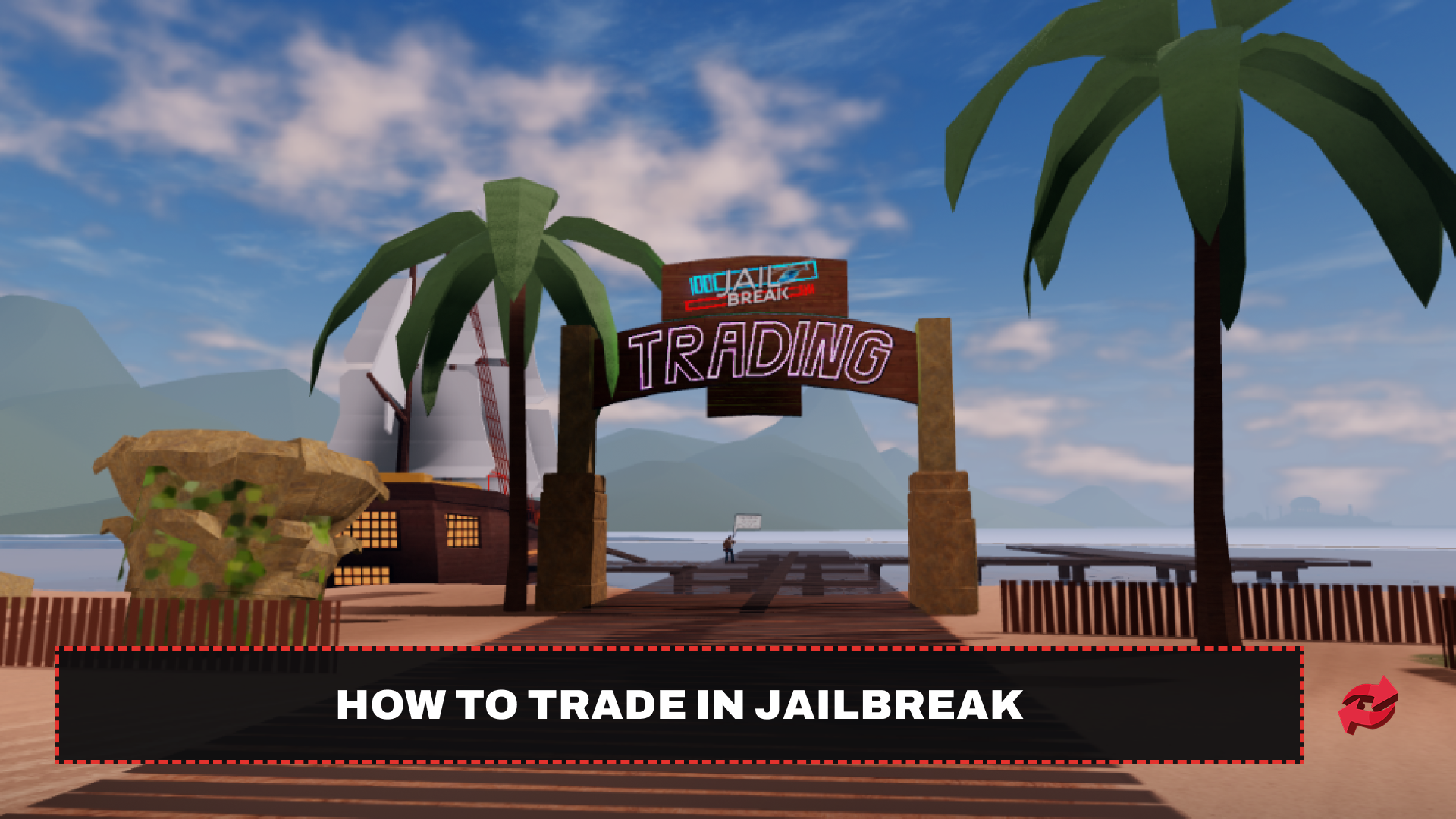
Once your account qualifies, trading itself happens through the Trading Island, a dedicated server just for exchanging items.
Head to the ship at Beach Town and enter the red cube to teleport to the Trading Island. Players with the Trading VIP gamepass can teleport there directly from the team selection screen instead.
Walk up to another player on the island and press E to send them a trade request, or tap the trade button on mobile.
Wait for the other player to accept. They have one minute to respond, or 90 seconds if you have Trading VIP. If they decline or the request times out, the trade won't start.
Add up to eight items from your inventory to your side of the trade.
Accept the trade twice, once both sides look right. The other player needs to do the same before the trade goes through.
The system checks whether a trade is balanced before letting it complete. If one side is worth a lot more than the other, you'll see a message saying your side is too low or too high, and you'll need to adjust the offer before it can go through.
Tradeable and Non-Tradeable Items
Not everything in your inventory can be traded. Jailbreak splits items into what's allowed and what's permanently locked to your account.
Tradeable | Non-Tradeable |
|---|---|
Most limited vehicles and cosmetics | Cash |
All non-limited items | Free starter vehicles (Camaro, Jeep, Helicopter) |
Vehicle textures, rims, spoilers, tires, horns, and colors | Gamepasses |
Weapon skins | NASCAR, NASCAR Free, and the MCL36 |
Furniture | Star Rims tied to the MVP Badge |
Safes | |
Mansion Invites | |
Crew Battles rewards |
Cash is kept out of trading entirely, since Badimo has said it would let wealthier players dominate the market and take away the incentive for newer players to keep grinding. Vehicles and event items also stay locked until they officially become limited, so don't expect to trade something away the moment you unlock it.
Avoiding Scams in Jailbreak Trading
Badimo built a few safeguards into the trading system, but scams still happen, mostly through pressure and confusion rather than exploiting a bug. You'll see a warning screen three separate times:
When you arrive on the Trading Island
When you start a trade
When you accept a trade
Read each item card carefully before confirming, since the trade window shows the other player's offer in detail. Since Badimo isn't responsible for scams that happen despite these warnings, it's worth double-checking the items on both sides of the trade rather than rushing through the two-step confirmation.
Reading an Item's Trade History
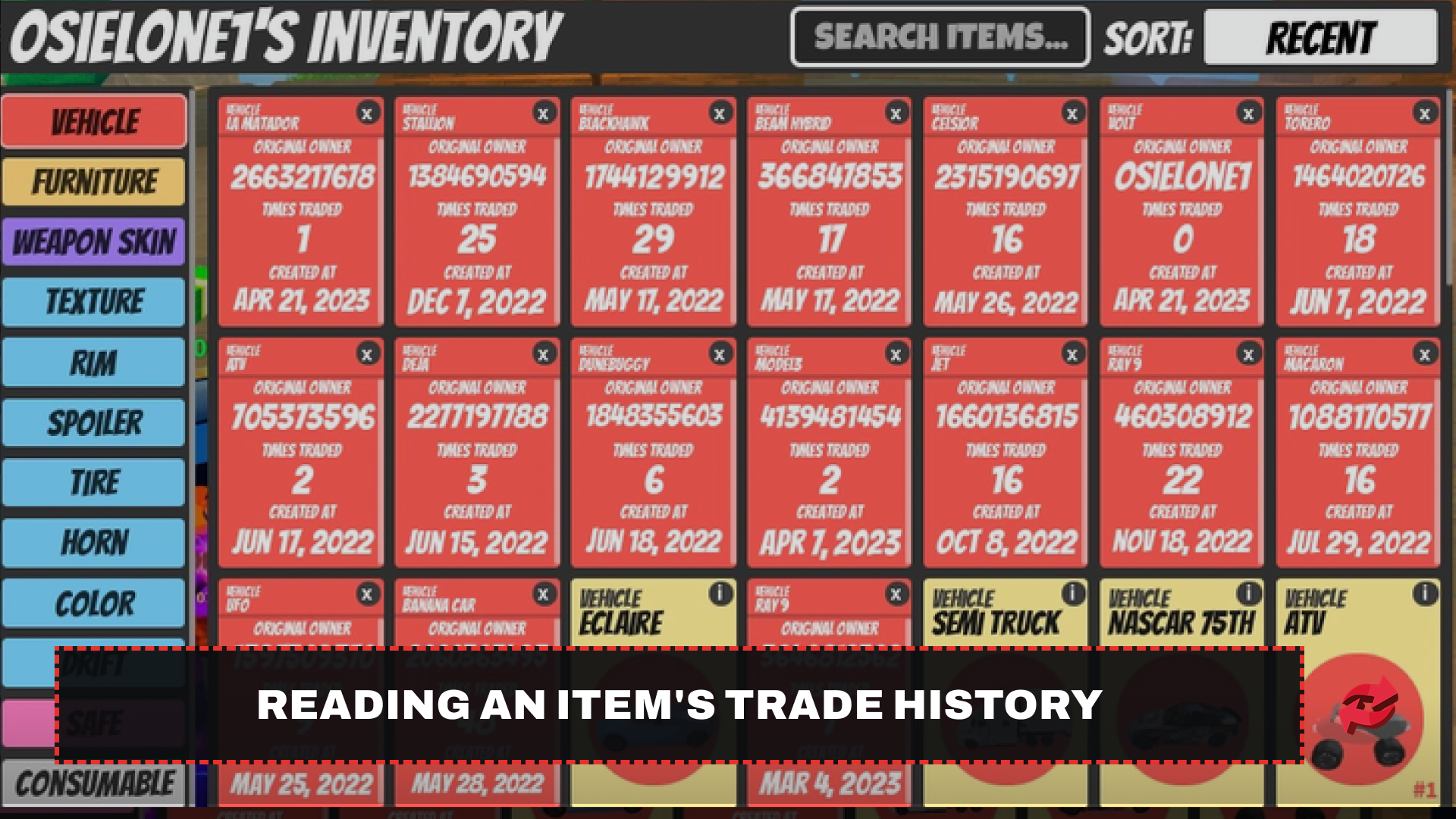
Every item card in Jailbreak shows a bit more than just the item's name. It also lists the original owner, how many times the item has been traded, and the date it was created, and knowing how to read this information can help you spot a bad trade before you commit to it.
The original owner field shows whether the item you're being offered is still with its first owner or has changed hands. An item that's changed hands many times isn't automatically a problem, but it's still worth a quick look before offering something valuable in return.
The creation date is the more useful detail to check. Seasonal and limited items only exist from the date they were released, so if a card's creation date falls before that item type was ever available, it's worth asking questions before trading. Non-limited items don't have this issue, since they can be bought at any time and their creation date just reflects when the player picked one up.
None of these details prove an item is illegitimate on their own, and a lot of the specific theories traders share about "duped" items are community guesswork rather than anything confirmed by Badimo. Use the trade history as a starting point for your own judgment, not as a final verdict.
Final Words
Trading in Jailbreak takes a bit of setup before you can start, but the system itself is straightforward once your account qualifies. Stick to the Trading Island, take the fairness warnings seriously, and check every trade twice before confirming it.
Frequently Asked Questions

Game in this Article
Jailbreak
Jailbreak is a Roblox cops and robbers game where players choose to play as police or criminals. Criminals escape prison, rob banks and jewelry stores, and evade capture, while police arrest them and defend the city. Cash and keys earned through gameplay buy vehicles, weapons, and customizations.

Written by
Ziad is a content writer at BloxSwaps, covering Roblox games through detailed guides and tier lists. With a focus on breaking down game mechanics and ranking characters, weapons, and items, Ziad helps players make sense of what's actually worth their time and Robux. When not writing, Ziad stays on top of the latest Roblox updates to keep every guide accurate and up to date.