
How to Trade Houses in Adopt Me: Step-by-Step Guide
Houses in Adopt Me act as your spawn point and living space, and you can decorate them with wallpapers, floors, and furniture, up to 4,000 items placed inside a single house. Players own multiple houses at once, ranging from small starter homes to multi-story mansions, each with its own layout and price tag.
Because houses come in so many sizes and styles, trading them has become a normal part of how players build their collections. Buying every house you want with Bucks or Robux can get expensive, so swapping houses with other players fills in the gaps without draining your wallet.
In this article, we'll explore how house trading works in Adopt Me, including the steps to complete a trade and what you need to know before offering one up.
How to Put Your House Up for Trade
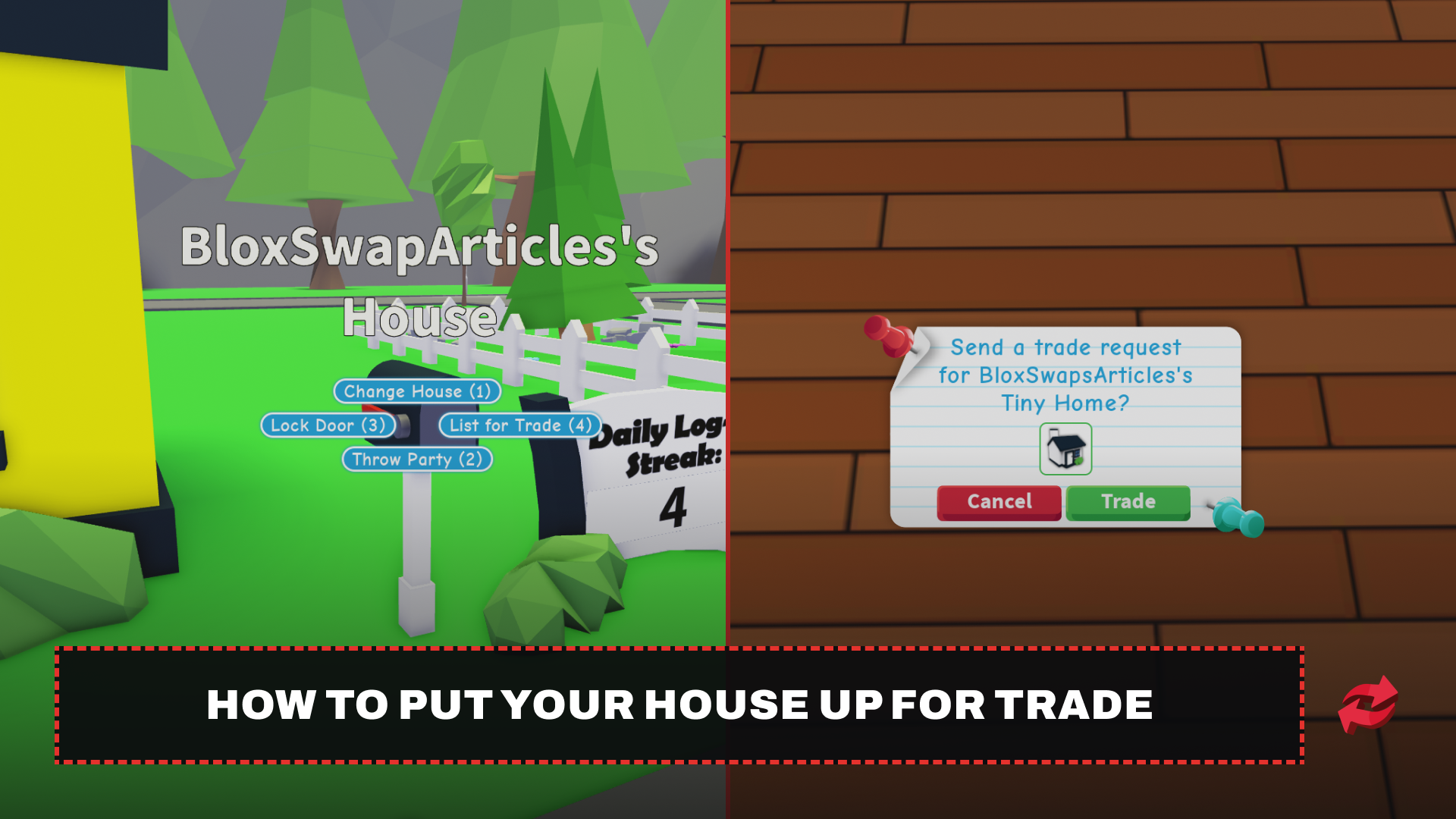
Trading a house works through the mailbox outside your home, and the process only takes a few steps to get your house visible to other players in the server.
Head to the mailbox in front of your house.
Select the "List for Trade" option.
A "For Trade" sign appears in front of your house, letting other players know it's available.
Other players can interact with the sign to tour the house and check out the furniture, layout, and any expansions.
If a player likes what they see, they can send you a trade request from inside the house.
Accept or decline the request. If both sides accept, the trade goes through, and the house transfers over.
You need to own more than one house to list one for trade. The game won't let you put your only house up, since that would leave you without a spawn point.
How to Buy a House From Another Player
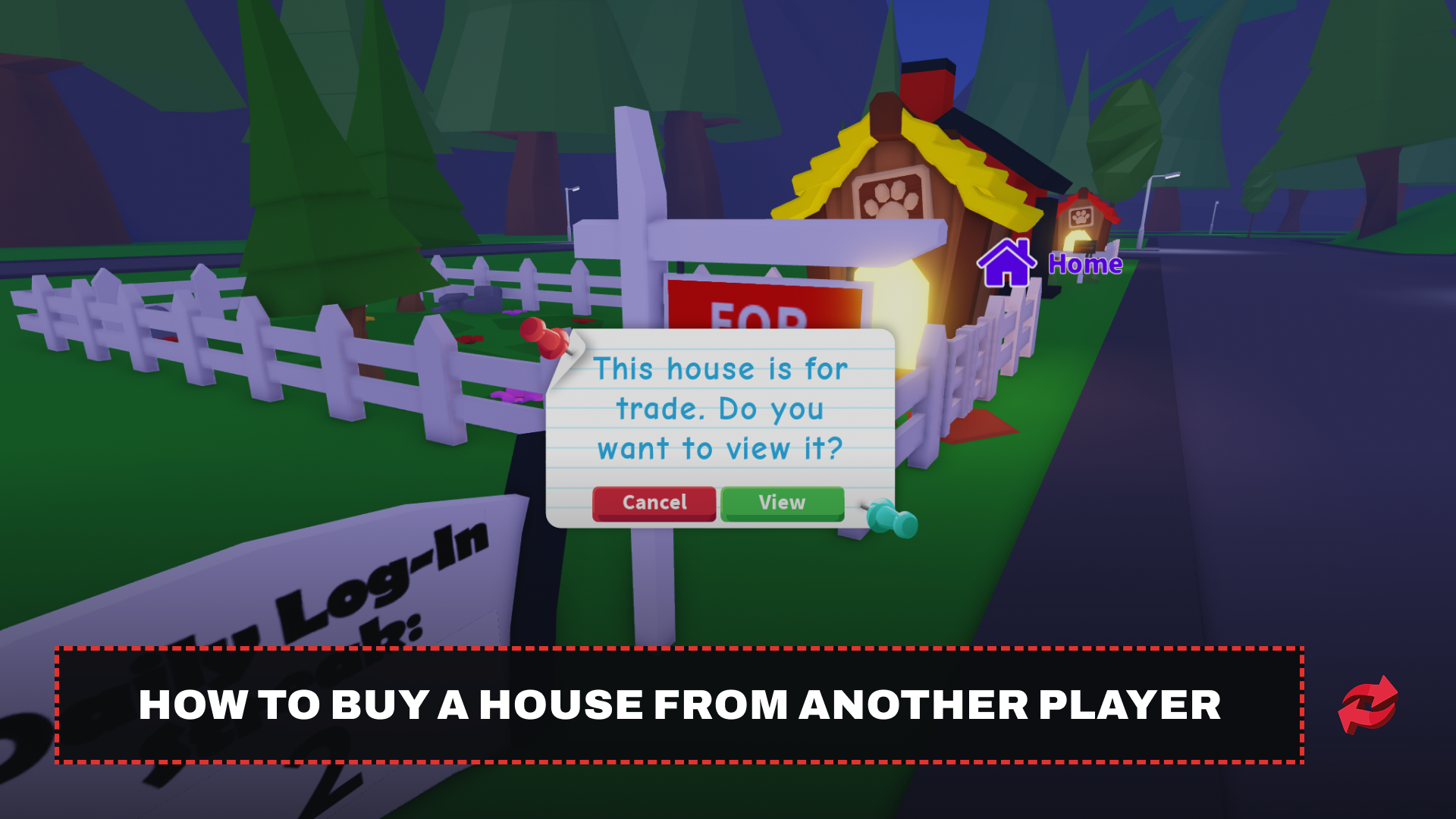
Buying a house is basically the reverse of listing one, and it starts with spotting a "For Trade" sign somewhere in the server.
Walk around the Neighborhood and look for houses with a "For Trade" sign in front of them.
Interact with the sign to start a tour of the house.
Walk through the house and check the furniture, layout, and expansions to see if it's worth trading for.
Send a trade request from inside the house if you want to make an offer.
Wait for the owner to accept or decline. If they accept, the house and everything inside it become yours.
Keep in mind that furniture stays with the house when it changes hands, so what you see during the tour is what you get.
Rules and Things to Know Before Trading a House
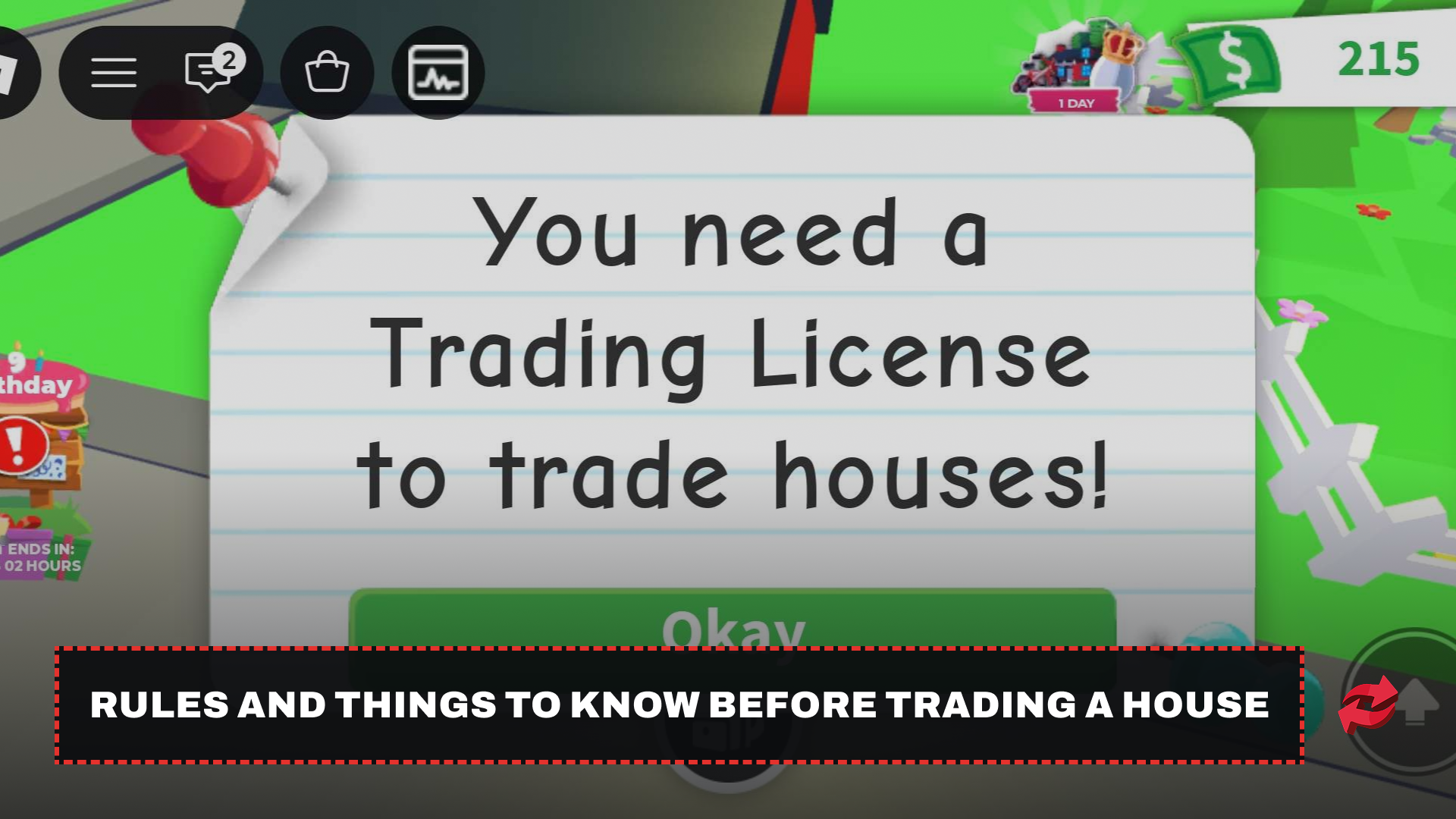
Before you try to trade a house, there are a few requirements and restrictions worth knowing so you don't run into a dead end.
You need a trading license to trade in Adopt Me at all, including houses. If you don't know how to get one yet, check out our guide on getting a trading license in Adopt Me.
You must own more than one house to list one for trade. Your only house can't be put up, since you'd be left without a spawn point.
The VIP house can't be traded under any circumstances.
Furniture and expansions move with the house automatically. You can't sell or keep furniture separately once the house is traded.
Take anything you don't want to lose out of the house before listing it, since everything inside goes with the trade once it's accepted.
Keeping these in mind before you start listing or accepting offers saves you from losing furniture you meant to keep or wasting time on a house that was never eligible to trade in the first place.
Final Words
Trading houses in Adopt Me gives you a way to swap your space for something new without spending Bucks or Robux on a fresh build. Get your trading license first, make sure you own more than one house, and always tour a house before agreeing to any trade. Following these steps keeps the process smooth and protects the furniture you want to hold on to.
Frequently Asked Questions
Game in this Article
Adopt Me
Adopt Me is a Roblox pet simulation game where players hatch eggs, raise pets through growth stages, and build customizable houses. Pets can be upgraded to Neon and Mega Neon versions and hold real trading value. The game also features seasonal events with limited-time pets and items.

Written by
Mustafa is the SEO Manager at BloxSwaps and a digital marketing specialist with a focus on gaming platforms. He covers trading guides, game updates, and platform content, helping players navigate the tools and systems they use every day.